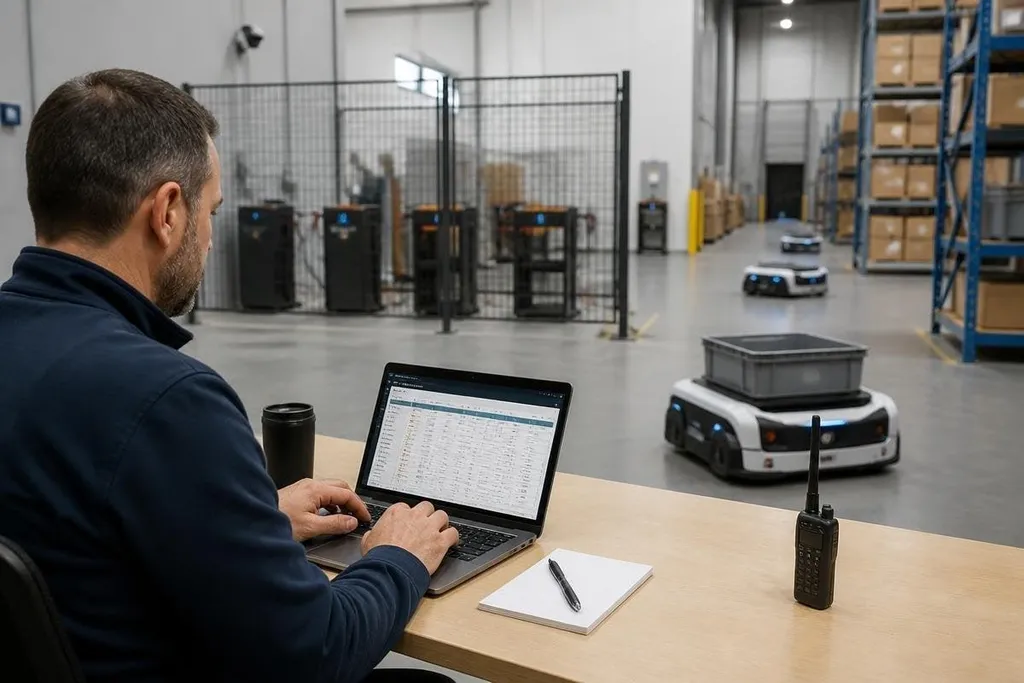
A robot fleet can expose cameras, maps, work orders, and physical movement through one poorly protected account. Companies can reduce that risk by limiting access, separating robot networks, keeping software current, and testing what happens after a breach.
- Give each person and robot its own identity.
- Keep robots away from office and guest networks.
- Test recovery before an incident stops operations.
Start with a map of the fleet
Security work starts with a list. Record every robot, control tablet, charging station, server, camera, wireless connection, and software service tied to the fleet. Include the person or team responsible for each item.
That list should show which systems can send commands, change routes, read camera feeds, or update firmware. Risk differs between a robot that only moves boxes and one that opens doors or carries sensitive images.
Give each robot a name that stays the same in your records. Record its software version, network address, physical site, owner, and last update. Remove old robots and unused accounts from the list when equipment leaves service.
This work also exposes forgotten paths into the fleet. An old control tablet, a vendor account, or a remote support service can retain access long after its original task ends.
Control who can give commands
Every person should have their own account. Shared passwords make it hard to tell who changed a route or stopped a robot, and they make access removal slow when someone changes roles.
Use multi-factor authentication for fleet management, remote support, and administrator accounts. Give people only the permissions needed for their work. An operator may need to start a mission, while a software engineer may need to change code; neither role needs every setting.
Separate daily accounts from administrator accounts. Keep administrator access for tasks that need it, and record each change with the account name, time, robot, and action. Those records help a team trace a faulty command and check whether an account was misused.
Vendor access needs the same rules. Set an expiry time, approve each support session, and remove the account when the work ends. If a vendor cannot explain who can connect to the robot and why, the connection needs review before it stays open.
Separate robots from the rest of the network
Put robots on a separate network from office laptops, guest Wi-Fi, and systems that hold payroll or customer records. This separation limits how far a stolen password or infected laptop can reach.
The robot network still needs controlled paths to the services it uses. List the required connections, such as a fleet server, time service, update server, or approved camera store. Block connections that have no clear job.
For security teams, Robot24.com robotics coverage can add context about the machines and software entering a site. Use that context to list the systems that need protection before you inspect ports, cabinets, and charging areas.
Check the physical side too. A network port in an open loading area can defeat careful account rules. Lock control cabinets, protect charging areas, and set a process for lost tablets, removed storage cards, and damaged sensors.
Update software without stopping work
Robot software includes firmware, operating systems, control apps, libraries, and network tools. Keep a record of the version on each robot, then set a regular review for updates from the maker and software suppliers.
Test an update on one robot before sending it to the whole fleet. Check movement, emergency stops, sensors, charging, maps, and links to the fleet server. Keep a known working version so the team can restore service if the new software causes a fault.
Updates need a clear owner and a written change record. The record should state what changed, which robots received it, who approved it, and what checks passed. Robots that cannot receive signed or verified software need extra network limits and closer review.
Prepare for a lost or compromised robot
A security plan needs a response that works during a busy shift. Decide who can disconnect a robot, revoke an account, stop remote access, preserve logs, and contact the maker. Write those steps where operators can find them.
Keep backups of maps, settings, task data, and fleet-server records. Store a copy away from the robot network, and test that the team can restore it. A backup that has never been restored is an assumption, not a recovery plan.
Run a short exercise with one robot. Give the team a case such as a lost tablet or an account sending commands at the wrong time. Measure how long it takes to stop access, identify the affected robot, and return it to a known state.
Fleet security checklist
Before adding more robots, check these points:
- Asset list: Every robot, tablet, server, camera, and vendor connection has an owner.
- Unique accounts: People and robots do not share passwords or identity records.
- Limited access: Permissions match each job, and unused accounts are removed.
- Network separation: Robot traffic has controlled links to approved services.
- Update record: Software versions, approvals, tests, and rollback steps are written down.
- Recovery test: The team has practised stopping access and restoring one robot.
I'd start with the asset list and account review before buying another security product. You can't protect a robot that the company has forgotten, and you can't trace a command sent through a shared login.
The next useful measure is recovery time: how long your team needs to isolate one robot and return it to a known working state. Set that target, test it every few months, and change the plan when the fleet changes.